
Import Pictures From Iphone

On Windows, whenever I plug in my camera, a program pops up and it is all gravy from there.

On my mac iTunes pops up whenever if plug my iPhone but i can’t seem to find how to move my media from the iPhone to the MAC using iTunes.

I tried the sync thing but the later did not work. It seems that it wants to grab the photos from my computer not vice versa.

Now what?

It happens that there is program under Applications called "Image Capture" that will do the job just fine (the logo is displayed below).
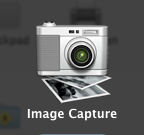
This program will help you import photos and videos without any problems. So good luck!

DIV tags and padding issues (why is padding moving my DIVs?)

Why is “padding” moving my DIV containers?

GOD DAMN IT !!!

I don’t get it. I thought padding was the distance between the inner div and the text.

"The padding clears an area around the content (inside the border) of an element."
http://www.w3schools.com/css/css_padding.asp

"A padding is the space between an element's border and the content within it."
http://www.tizag.com/cssT/padding.php

So why is it increasing the size of the div tag?

Internet Explorer, Firefox anybody?

Here is the work around but frankly this is stupid.

1. Using a <p> tag within your DIV

<div>
        <p style="padding:10px">        </p>
</div>

2. Using a Div within a Div

<div>
        <div style="padding:10px">        </div>
</div
 
Per Stuffs that i found online the width and the height 
of div tags can be calculated using the formulas below:

width = 
border-left + 
padding-left + 
width + 
padding-right + 
border-right 

height = 
border-top + 
padding-top + 
height + 
padding-bottom + 
border-bottom

Insert css into html pages

It can be linked:

<link rel="stylesheet" type="text/css" href="css/ycsoftware.css" />

It can be embedded

<style> ... </style>

It can be imported

<style type="text/css" media="all">
<!--
@import url("css/ycsoftware.css");
-->
</style>

You can also import css from within a css file

@import "jquery.ui.base.css";

Shuffle Associative Arrays in PHP

Dear PHP,

Add this to your repo. It will save us a lof of time.

function shuffle_assoc ($source_array) {
    if (!is_array($source_array)) {
    return false;
    }
    $keys = array_keys($source_array);
    shuffle($keys);
    foreach ($keys as $key){
    $modified_array[$key] = $source_array[$key];
    }
    return $modified_array;
}

Selectively Redirect to HTTPS

If you do not want the entire site to be https, let’s say you have an XML files that you want outside the https realm, you can just use mod_rewrite to selectively reroute your requests.

RewriteRule !^(nohttps.xml)$  https://ycsoftware.net/https_only/$1 [R,L]

Anything that is not nohttps.xml use https.