“The RsyncServer service on Local Computer started and then stopped. Some services stop automatically if they have no work to do, for example, the Performance Logs and Alerts service.”
If you are getting this error, you are not alone. When I checked the event viewer i see something like this:
Description:
The description for Event ID ( 0 ) in Source ( RsyncServer ) cannot be found. The local computer may not have the necessary registry information or message DLL files to display messages from a remote computer. You may be able to use the /AUXSOURCE= flag to retrieve this description; see Help and Support for details. The following information is part of the event: RsyncServer: PID 4536: `RsyncServer’ service stopped, exit status: 10.
What the heck is this? How am i supposed to fix this issue with the above error message? the only thing relevant from this error message could be “exit status : 10” but when I googled it, i could not find anything. After some more research some guy mentioned that to check the application’s log file (C:\Program Files\ICW\rsynd.log), which i did and i found this:
2011/05/21 14:29:34 [6012] rsyncd version 3.0.8 starting, listening on port 873
2011/05/21 14:29:34 [6012] bind() failed: Address already in use (address-family 2)
2011/05/21 14:29:34 [6012] unable to bind any inbound sockets on port 873
2011/05/21 14:29:34 [6012] rsync error: error in socket IO (code 10) at socket.c(544) [Receiver=3.0.8]
Now we talking. All that time , I had a program that it already using port 873 so I downloaded currports (http://www.nirsoft.net/utils/cports.html) and find that line :
rsync.exe 1480 TCP 873 0.0.0.0 0.0.0.0 Listening C:\Program Files\Delta Copy\rsync.exe
Just per curiosity i tried to check the content of the folder C:\Program Files\Delta Copy\ then i found this:
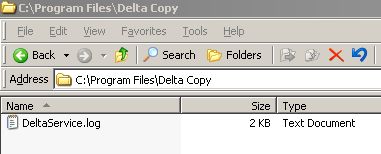
The stupid directory is empty (B??? Sh??). How the heck is the service is still running?
I eventually killed the process using currports (right click) mentioned above and i was able to start the rsyncserver successfully.
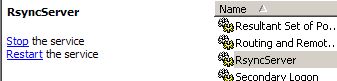
The moral of the story is
If you are getting this error when trying to start the rsyncserver, there is already a service using port 873.
You can change the port that rsyncserver is listening to using the following instructions :
http://www.itefix.no/i2/node/11315
or you can identify the program that is using the port and take the appropriate action.